Setting Up Ollama
← Back to HomeWhat is Ollama?
Ollama is a lightweight, local LLM runtime that lets you run models like LLaMA, Mistral, and Gemma directly on your machine without needing a GPU or even an API token. It’s perfect for experimentation, prototyping, and even production-grade setups with privacy in mind.
Think of it as the “Docker for language models” download a model once and run it anywhere, completely offline.
Why Ollama?
- No API keys or accounts needed
- Run popular open-source models locally
- Easy-to-use CLI
- Great for testing ideas without cloud dependencies
Downloading and Installing Ollama
You can grab the latest release from the official website: ollama.com.
- Visit
https://ollama.com - Click on Download
- Select your operating system (macOS, Windows, or Linux)
- Once downloaded, run the installer
- Click through the setup steps (Next → Install)
- After installation, open your terminal/command prompt
- Run:
ollama --helpto verify it’s working
Basic Commands
Pull a model
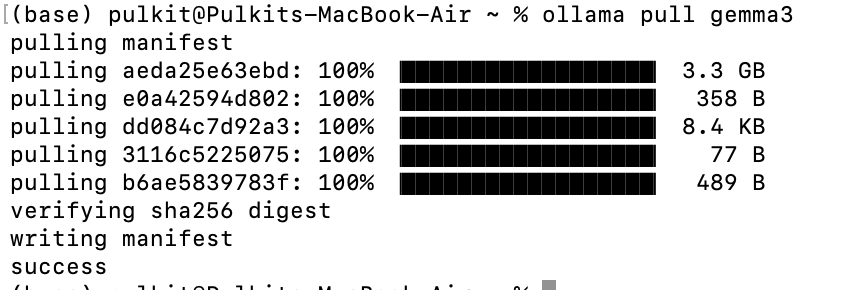
ollama pull gemma3This will download the latest version of the specified model.
Run a model
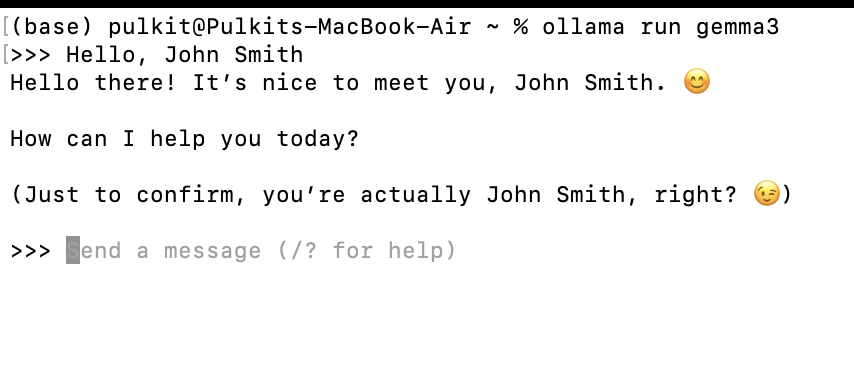
ollama run gemma3Starts an interactive session with the model in your terminal.
List installed models
ollama list
Remove a model
ollama rm llama2View model info
ollama show gemma3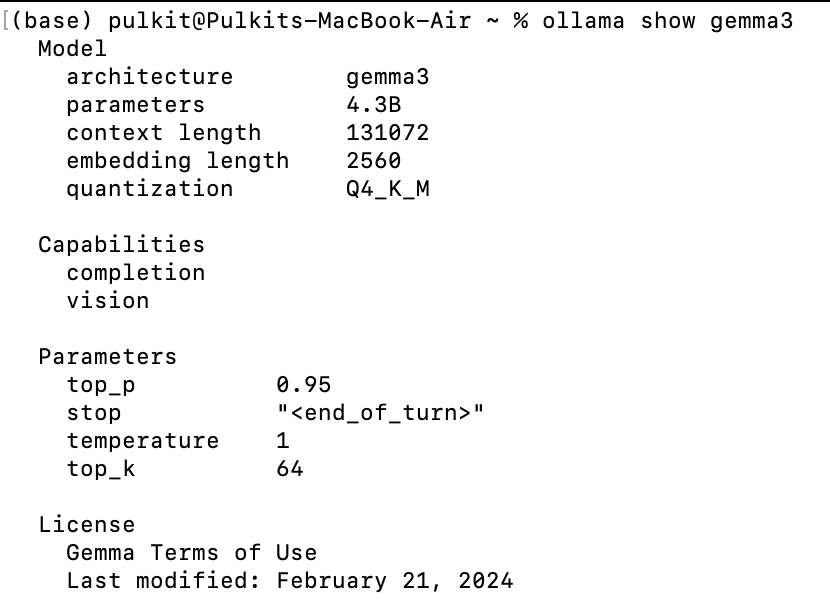
Start the server manually
ollama serveStop the running model
ollama stopFinal Thoughts
Ollama is a fantastic tool if you want local inference without the hassle of API keys or cloud latency. It’s fast, private, and incredibly easy to use. With just a few commands, you’ll have state-of-the-art models running right on your machine.
Give it a try, and see how it fits into your AI workflow!